

You don’t need another theme demo that looks perfect until you try to change it.
You need control. You need speed. You need a structure that won’t collapse the moment your blog grows beyond five posts.
If you’ve ever installed theme after theme thinking, “Almost… but not quite,” you’ve already felt the limitation of rigid design.
This guide fixes that.
When you combine Elementor with Astra, you stop adapting to a theme and start shaping your blog around your ideas.
Layout, typography, archives, single posts, headers, spacing, performance. You control all of it.
This isn’t just a tutorial. It’s a repeatable system you can use for your own website, blog or every client project you build.
By the end, you’ll have:
- A workflow you can reuse
- A fast, SEO friendly blog foundation
- A clean, brand consistent design
- A scalable layout structure
- Who This Guide Is For
- Why This Approach Works in 2026
- How Astra and Elementor Work Together
- Why Blog Structure and Speed Matter for SEO
- Part 1: Build Your Blog Foundation With Astra
- Part 2: Customize Core Pages With Elementor
- Design a Single Post Layout
- Example: Building a Minimal Personal Blog
- Common Mistakes When Building a Blog With Elementor
- Troubleshooting Common Issues
- What The Pro Versions Unlock
- Next Steps
- Build Your Blog With Astra and Elementor
Who This Guide Is For
This guide is built for:
- New bloggers starting from scratch
- Creators frustrated with restrictive themes
- Agencies building content focused websites
- Anyone who wants design control without writing code
If you want a blog that looks intentional and performs well long term, you’re in the right place!
Why This Approach Works in 2026
In this age of AI and short attention spans, three things matter more than ever:
- Speed
- Structure
- Simplicity
Heavy themes packed with features you’ll never use slow down your site.
Page builders without a solid theme foundation create layout inconsistencies.
Pairing Astra with Elementor gives you:
- A lightweight structural base
- Visual design flexibility
- Clean, scalable architecture
That combination holds up whether you plan to publish 10 posts or 10,000.
How Astra and Elementor Work Together
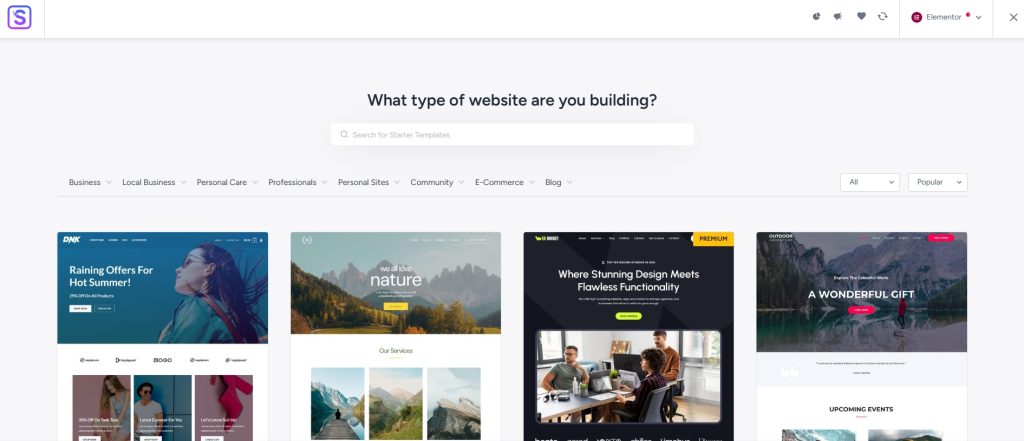
Astra and Elementor work together seamlessly to help you create any type of blog or website.
Astra handles:
- The starter template
- Global layout structure
- Blog archive formatting
- Typography defaults
- Header and navigation
- Performance optimization
Elementor handles:
- Homepage design
- About and landing pages
- Custom layouts
- Visual styling
All running on WordPress.
Astra controls structure. Elementor controls presentation. WordPress controls content.
That division of labor keeps your site clean and scalable while opening up a whole new world of potential.
It also keeps everything within a transparent ecosystem you fully control.
Why Blog Structure and Speed Matter for SEO
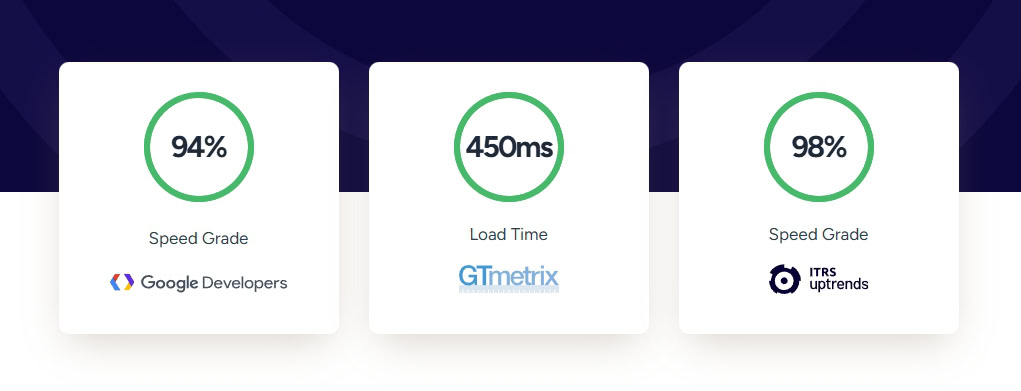
SEO is important so let’s dig into it a little.
A blog that looks elegant but loads slowly is like a luxury store with a broken front door.
People might admire it, but they won’t stick around long enough to buy, read, or subscribe.
Search engines behave the same way.
Google looks far beyond color palettes and typography. It evaluates how your site functions under pressure.
What Google Is Really Measuring
Google assesses signals such as:
- Core Web Vitals
- Clean HTML structure
- Internal linking hierarchy
- Mobile responsiveness
- Crawl efficiency
Let’s break that down a little, because each one affects whether your blog ranks or disappears.
Core Web Vitals measure how quickly your content becomes usable. If your hero image loads late, if text jumps around as ads appear, or if buttons respond slowly, it all adds up.
A delay of even one second can reduce engagement and increase bounce rates.
Multiply that across hundreds of visitors and you have a visibility problem.
Clean HTML structure matters because search engines read code before they interpret design.
Bloated markup from poorly built themes or overloaded page builders makes crawling harder.
The simpler your structure, the easier it is for search engines to understand what each page is about.
Internal linking hierarchy helps Google determine which pages matter most.
If categories are clear, your archives structured properly and your cornerstone posts internally reinforced, you signal authority.
If everything sits flat with random links scattered everywhere, Google struggles to interpret priority.
Mobile responsiveness is non-negotiable as most blog traffic now comes from mobile devices.
If your layout breaks, font sizes shrink, or buttons overlap on smaller screens, user signals drop. That weakens rankings over time.
Crawl efficiency is often overlooked. If your site loads fast and your internal architecture is logical, Googlebot can crawl more pages in less time.
That increases the likelihood of deeper indexing and faster updates when you publish new content.
Why Theme Choice Matters
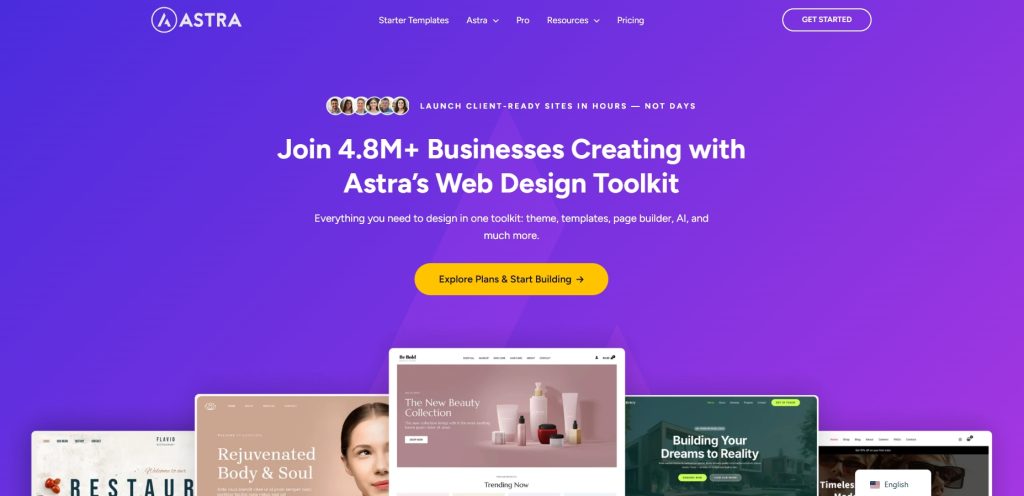
A lightweight theme like Astra delivers:
- Faster load times
- Cleaner markup
- Better archive structure
- Reduced layout shift
Astra is built to minimize unnecessary scripts and styling. Blog posts render quickly, even before caching and optimization plugins are layered on top.
Speed creates positive user signals. Positive user signals support rankings.
Cleaner markup reduces the risk of hidden layout shifts. When headings, featured images and content blocks load predictably, your page feels stable.
Stability increases time on page and lowers bounce rates.
Archive structure is critical for blogs. Category pages, tag pages, author archives and paginated lists need to be organized clearly.
Astra’s structure keeps these pages lean and crawlable, which strengthens your overall internal linking network.
Beauty That Scales
A beautiful blog isn’t just about decorative elements. It is about clarity, hierarchy, spacing and speed working together.
You want:
- Readable typography that loads quickly
- Consistent spacing that guides the eye
- Logical heading structure that supports scanning
- Predictable archive layouts that reinforce authority
Your blog shouldn’t just look good. It should load fast, organize information intelligently and scale without breaking as you publish your next hundred posts.
The SureRank SEO plugin can help with many aspects of search engine optimization, but your blog needs solid foundations first.
That’s enough of the theory and background, let’s get building!
Part 1: Build Your Blog Foundation With Astra
Let’s assume you have web hosting, a domain name and WordPress already installed.
Step 1: Install Astra and Starter Templates
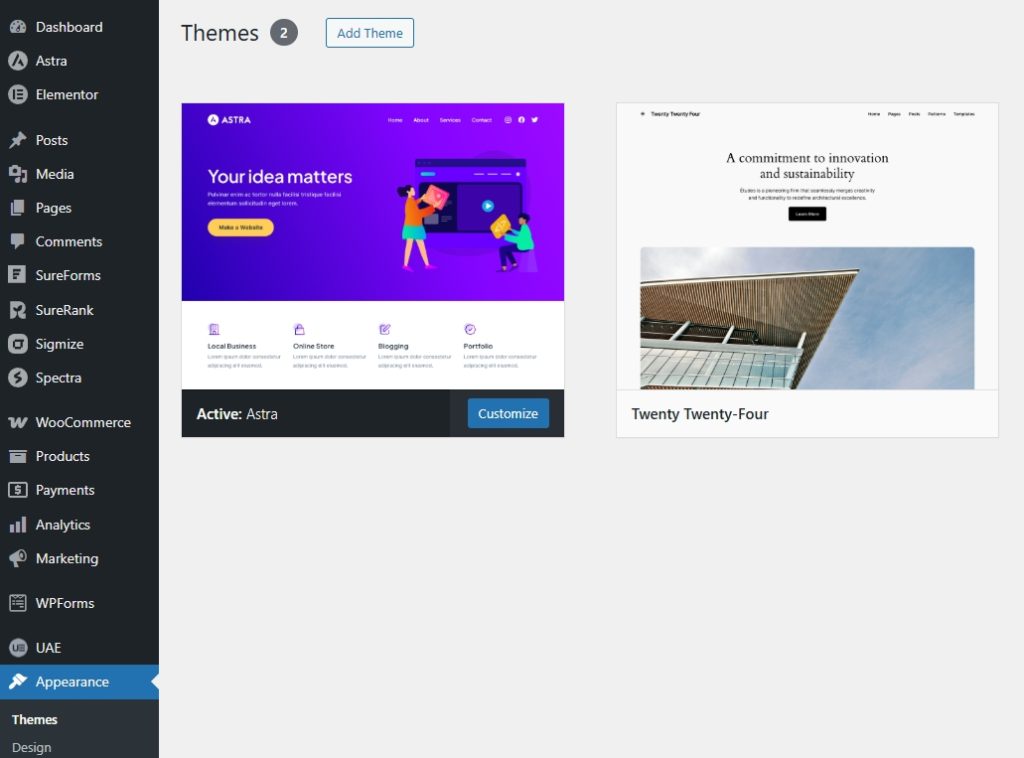
Inside your WordPress dashboard:
- Go to Appearance > Themes > Add New
- Search for “Astra”
- Install and activate
- Install the free Starter Templates plugin
You never need to leave your dashboard!
Step 2: Import a Starter Template
- Go to Appearance > Astra Options > Starter Templates
- Select Classic Starter Templates
- Choose Elementor as your builder
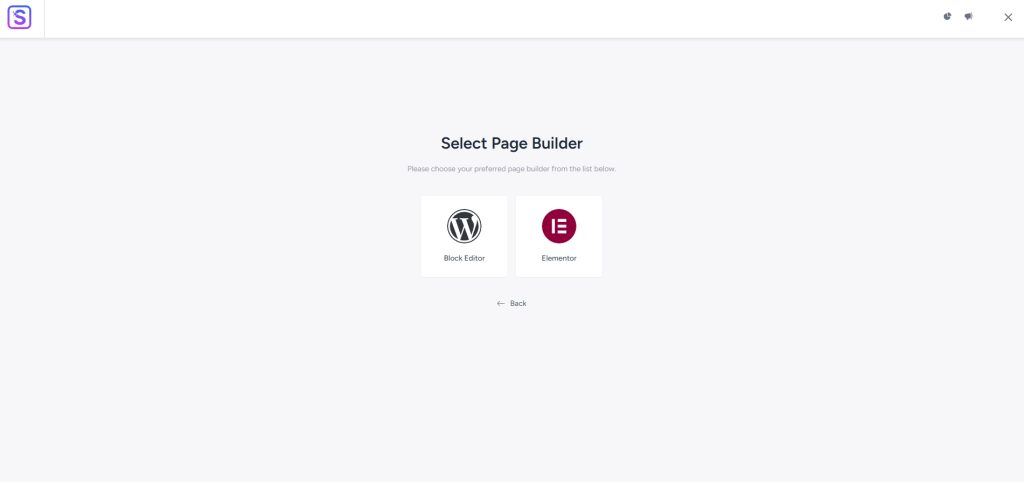
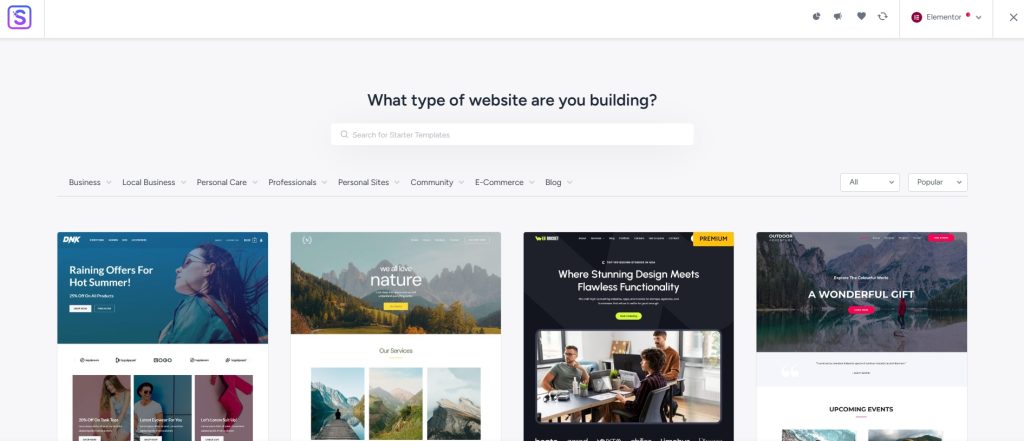
Browse the free templates. Focus on layout structure rather than colors.
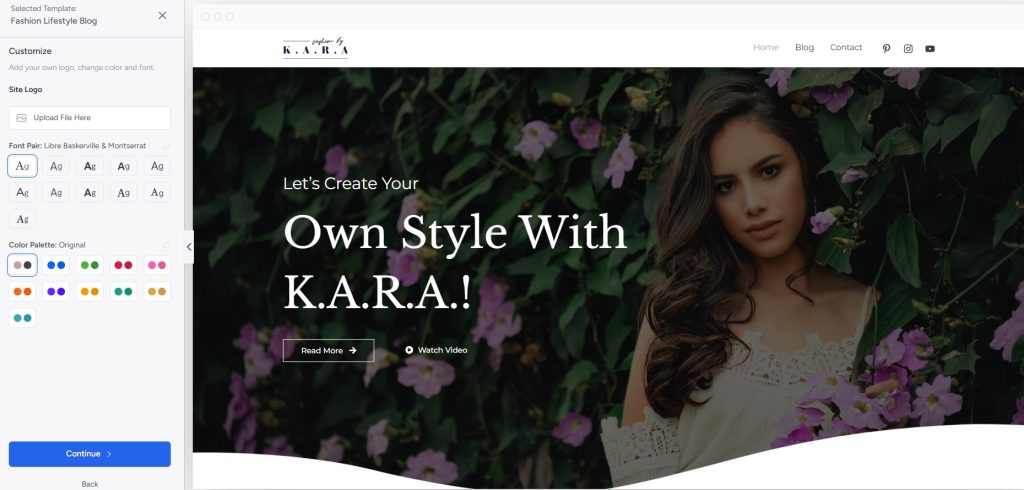
When you find a design you like, preview it, select colors and typography and follow the import wizard.
Within minutes you’ll have:
- Homepage
- Blog archive
- Navigation
- Core inner pages
This gives you a structured starting point instead of a blank screen.
Depending on the template you choose, the template will automatically install:
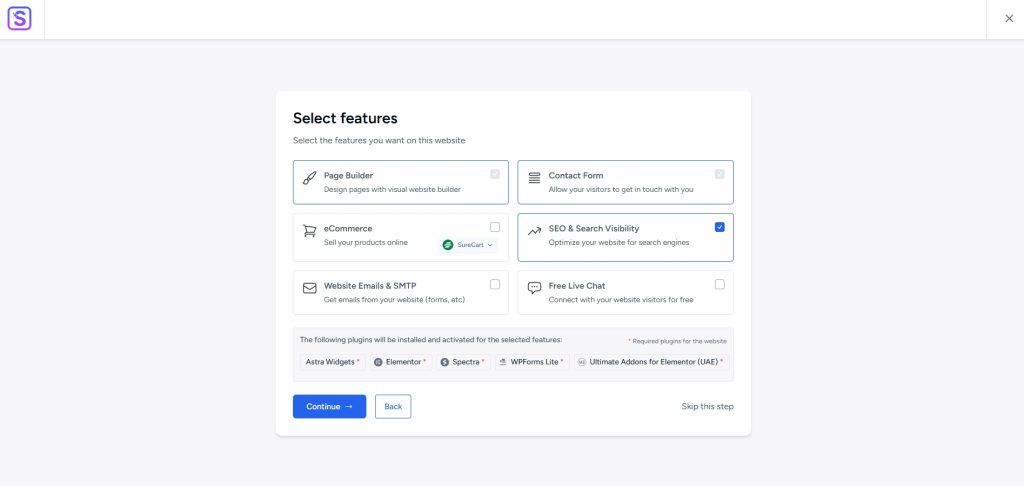
You can opt out or change these at any time. The intent is to make it as fast as possible to launch a website or blog.
If you change your mind or want to try a new template, just repeat the process and start over, it’s so easy!
Step 3: Refine Your Blog With the Customizer
Go to Appearance > Customize.
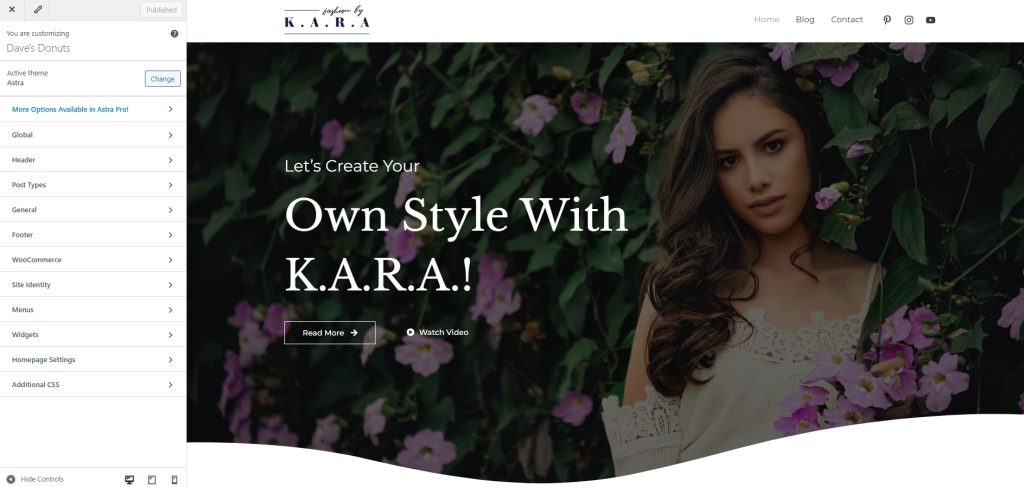
Focus on these areas first.
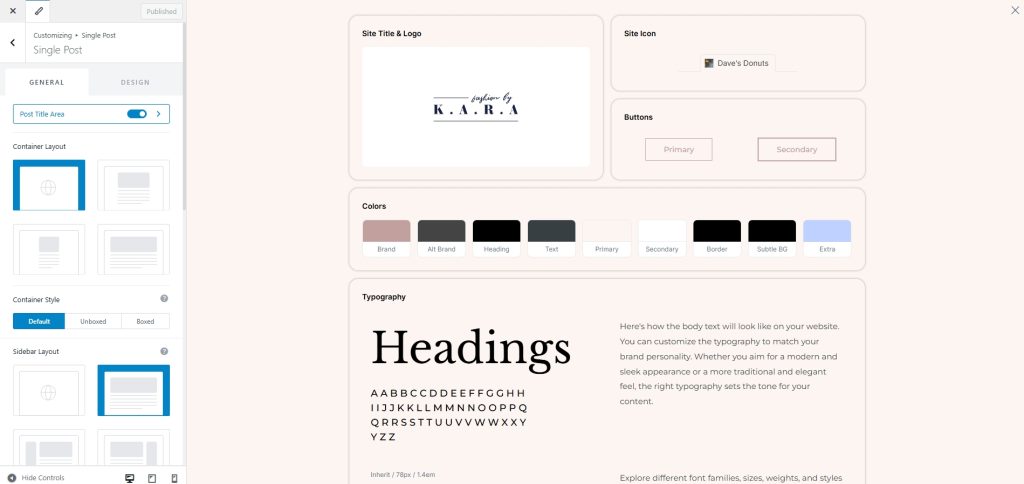
Colors and Branding
Define your:
- Primary color
- Accent color
- Neutral background
- Link and button styling
Consistency builds trust and this is where that begins.
You can do all those things in one place using the Astra Style Guide.
Configure global settings for consistency or for individual pages for character. It’s entirely up to you!
Typography
Adjust:
- Body font
- Heading hierarchy
- Line height
- Meta text sizing
Readable blogs retain visitors longer, which helps with engagement and SEO.
Blog Layout
Control:
- Sidebar placement
- Archive style
- Single post width
- Featured image behavior
The free version of Astra has plenty of layout options to get you started.
Astra Pro delivers full flexibility with lots of extra blog design tools to make you stand out from the crowd.
Part 2: Customize Core Pages With Elementor
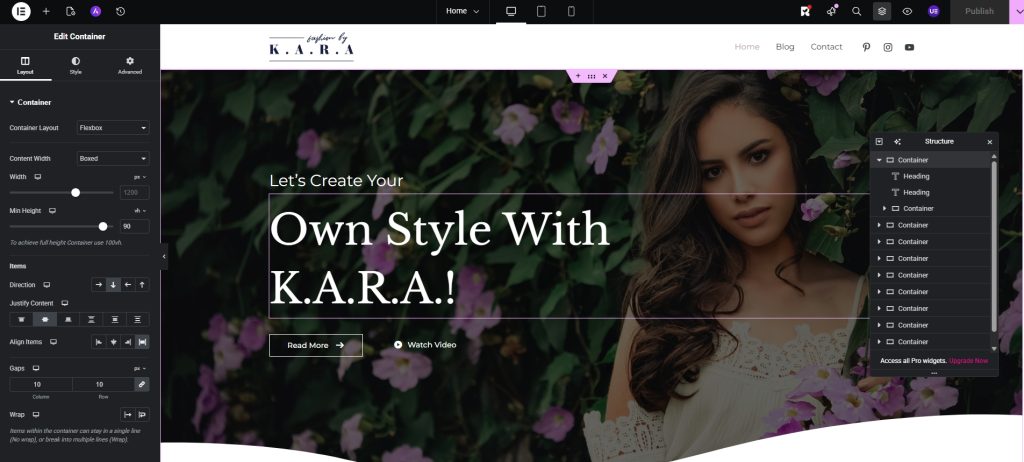
Now move into visual refinement.
Open your homepage using Pages > All Pages, then click Edit With Elementor.
You’ll see:
- Sections
- Containers
- Widgets
These are the basic building blocks of a web page.
You can build or customize:
- Hero section with headline and call to action
- Featured blog grid
- Email opt in section
- Testimonial blocks
- About preview
Using Astra and Elementor, you can drag and drop, adjust spacing and see your changes instantly.
No guessing. No messing with code.
Once you understand sections and containers, everything becomes intuitive.
Design a Single Post Layout
Your single post layout matters more than your homepage as it’s where visitors will likely spend most of their time.
Focus on:
- Featured image placement
- Clear headline hierarchy
- Author box
- Internal links
- Related posts
- Comment section
If you’re using Elementor Pro, you can design custom post templates visually through its theme builder.
If you don’t use Pro, Astra’s layout controls are more than enough to create a clean reading experience.
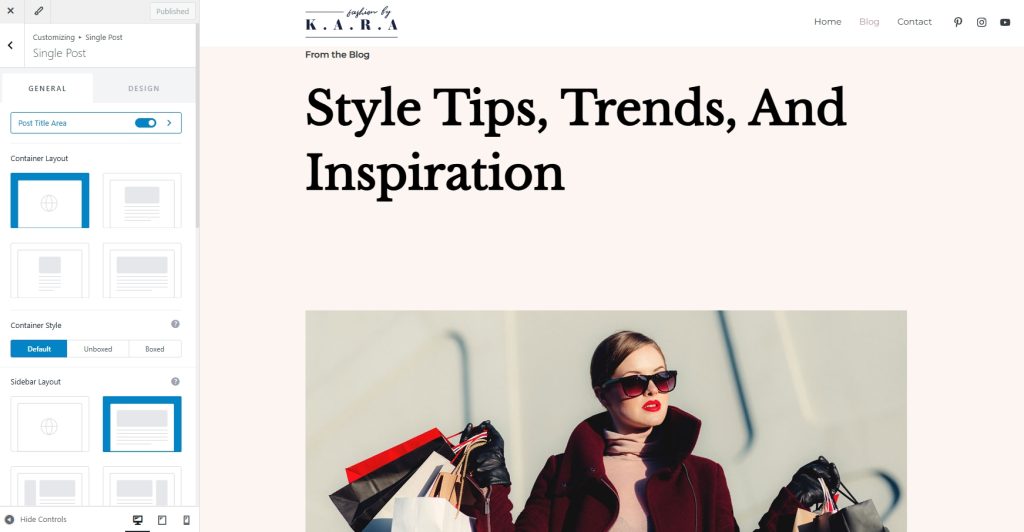
Remember, blogs are reading environments so clarity beats decoration every time!
Example: Building a Minimal Personal Blog
When we build blog templates, we tend to focus on getting the basics 100% right.
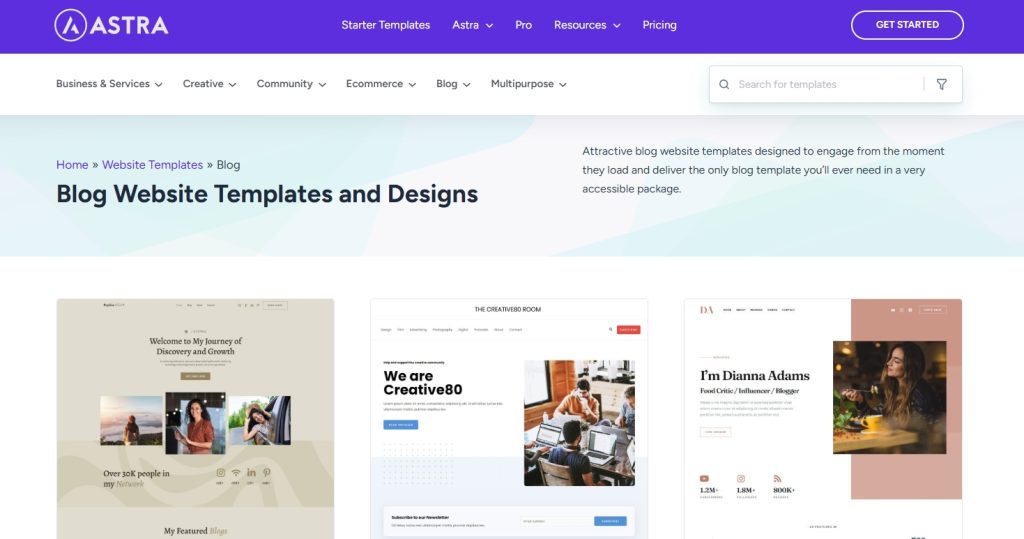
Depending on your niche, that can include:
Homepage:
- Large hero with short mission statement
- Three recent posts grid
- Email subscription block
Archive:
- Two or three column grid
- Consistent featured image ratio
- Clear excerpt formatting
Single post:
- Wide content container
- Simple author box
- Related posts below content
Typography pairing:
- Clean sans serif body font
- Slightly heavier heading font
Color system:
- White background
- Dark grey text
- One accent color
This is just an example of course as we’re all different, but it’s a great starting point if you’re struggling with where to begin.
You can always change it later if you like!
Common Mistakes When Building a Blog With Elementor
There are a few common mistakes we see again and again when people first build a blog.
- Overusing widgets. The fewer the better
- Ignoring global typography. Consistency is key
- Designing everything inside Elementor instead of using theme structure
- Inconsistent spacing as it hurts the eyes
- Forgetting mobile design as most people now surf on phones
Avoid these mistakes wherever possible.
Use Astra and Elementor and you’re already ahead of the game!
Troubleshooting Common Issues
Spend any time on Reddit or WordPress forums and you see the same questions appear time and again.
Here are just four of the most common problems you may come across:
- Elementor not loading: Check plugin conflicts. Clear cache. Increase PHP memory limit.
- Layout looks broken: Make sure container width settings in Astra match your Elementor sections.
- Customizer changes not showing: Clear browser cache and any caching plugins and force a browser refresh.
- Mobile spacing issues: Use Elementor’s responsive controls and adjust padding per device.
Most of these are fixable in minutes when you know how!
If all else fails, Astra has an entire knowledge base to help.
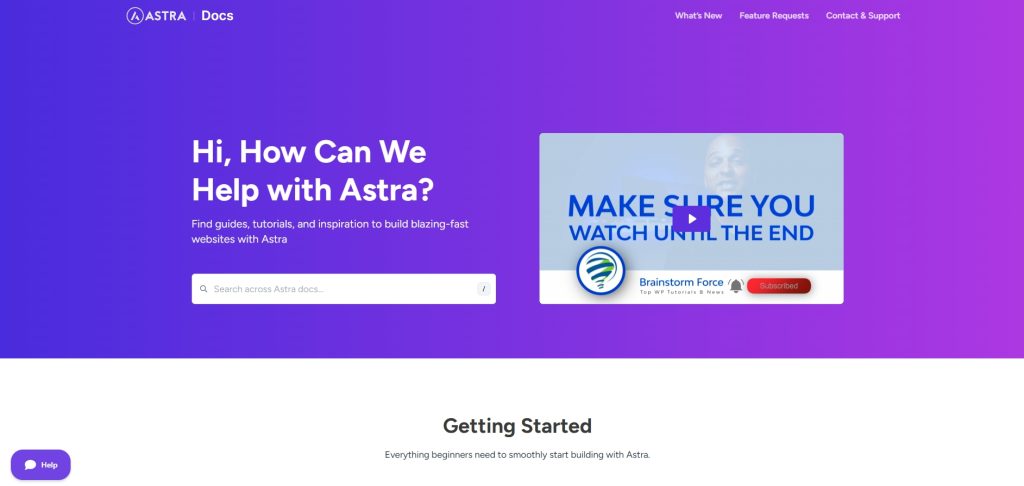
There’s also a dedicated support team for both free and premium users that can help with anything Astra.
What The Pro Versions Unlock
You can build a serious blog with the free versions of Astra and Elementor. But if you want more, it’s time to go Pro!
Astra Pro adds:
- Advanced blog grids
- Sticky headers
- Page header customization
- Extended typography controls
Elementor Pro adds:
- Custom post templates
- Dynamic content widgets
- Advanced design flexibility
You can also mix and match, use Astra Pro with Ultimate Addons for Elementor and the free version of Elementor.
Next Steps
Building a beautiful blog is just the beginning.
Once you have published a few posts, we recommend reading:
- How To Speed Up Your WordPress Website
- WordPress SEO: Step by Step Beginner’s Guide
- How To Secure a WordPress Website
- How To Optimize Images for WordPress
There’s lots more to learn but those guides cover the essentials!
Build Your Blog With Astra and Elementor
At this point, you have:
- A performance focused theme
- Full visual control over pages
- Clean blog architecture
- A scalable site that can thrive and grow
You didn’t have to write code. You didn’t fight your theme. You built a structured system using intuitive tools.
That’s why this method works.
Install Astra. Add Elementor. Import a template. Refine it. Publish consistently.
Your blog doesn’t need to be complicated. It needs to be clear, fast and built on the right foundation.
Download Astra today and see what you can build!


Abhijeet Kaldate is the co-founder and CRO of Brainstorm Force. With a keen eye for detail and a knack for getting things done, Abhijeet oversees the company's operations, managing key areas such as HR, marketing, design and finance.
Disclosure: This blog may contain affiliate links. If you make a purchase through one of these links, we may receive a small commission. Read disclosure. Rest assured that we only recommend products that we have personally used and believe will add value to our readers. Thanks for your support!





Pingback: How To Choose A WordPress Theme in 2018: The Definitive Checklist
Pingback: How To Choose A Best WordPress Theme : The Definitive Checklist
Thanks for sharing useful information. Great valuable article. Kindly tell me one thing how could a word flash continuosly in elementor??
You’re welcome! 🙂
Are you looking forward to implementing something shown on the demo page here
If so, this can be done using the Fancy Heading widget of the Ultimate Addons for Elementor. You can take a look at the video tutorial we have for you.
Having issue importing site; It has been running for about 10 hours, that cannot be normal. Any ideas on issue?
Hey Marvin,
Sorry for the inconvenience caused!
Looks like it was a temporary issue and we’ve already fixed that. However, if you still aren’t able to access these sites at your end, please open up a ticket at our support center, so that we can take a look and help.
Hi, I’ve been trying to figure this one out on my own, but it’s just not working for me:( I’m using Elementor with Astra Theme; I imported the Outdoor Adventure Site and for some reason just cannot build a Blog Page.
(I can’t edit it in Elementor, and when I go to “Costumize”, I can’t add more Blogs or costumize the blog section. )
Also I’m afraid of losing what I’ve already built.
Where can I find more specifics on this?
Thank you in advance!
Hello Laura,
That’s strange!
Could you please open a ticket, so that we can take a closer look to see what is happening and help you get things working for you?
This same thing happened to me and I did lose all my work ? did you figure it out? I’m about to start over. Also, we’re you using the free version of elementor?
Hello Bethany,
Could you please open up a ticket at our support center and elaborate on what’s happening? We’d love to take a look and help. 🙂
The video appears to require Elementor Pro to drag the posts into the page. Is that right? How can I have a blog page with the free version?
Hello Alex,
Yes, Elementor Pro has the Post widget that allows you to fetch posts on a page. However, if you want a more advanced a creative Post widget, you can opt for the one in the Ultimate Addons for Elementor. You can read more about this widget in our article here.
Hi Support Team. I have the same question as Alex. How can we have blog pages with the free version? (Ultimate Addons isn’t free)
Hello Tom,
The Posts widget is not available in free Elementor.
Hi Elvina,
Can you help me build some sites with Elementor.
Thank you
Hey Markus!
I am sorry, but we do not take custom website development. However, we do have Starter templates – i.e. ready to use complete website demos that you can take a look at. These can be imported, tweaked and used to build a website. If you do not find the website you are working on, you can suggest a topic and we’ll align that for the future.
Hello I have imported the Astra Pro Yoga Instructor theme, but when trying to edit the blog template, it does not work, I lost everything after adding the blog to “Writing Settings”, I realized later that I should not have done that but once I removed it it did not work for me and I have not been able to restore the blog template and I’m afraid to lose everything I’ve already done. Can you help me? Is there a way to restore it? I use Elementor free and I do not see any blog / post widget, I also use Astra Pro.
You can disable the post page from Settings -> Reading once again (https://cl.ly/aa88e1150712) so that the design from that page can once again be edited.
Hello! I’m loving this theme! I am using the “Outdoor Adventure” starter site with Elementor, and I’m having trouble modifying my blog archive page. Is there a way to reset that page to the starter site without losing all my blog posts? Whatever page is set as the “Posts Page” in Settings->Reading won’t open in Elementor, and has no header image. Any suggestions? Thank you!
Hello,
If you haven’t yet done so, could you please open a ticket at our support center, so that we can take a look and help?
Hi, Laura! Astra with Elementor was recommended to me for avoiding bloating theme issues built with visual composer/bakery. However i cannot make a beautiful fashion magazine layout with dynamic posts list just with elementor pro. I saw a tutorial recommending jet blog plugin but even that doesn’t offer the visuals i am used to. And again I have to make a decision between good code and looks/feel. Are you planning to release a fashion magazine layout with elementor with the pro/agency pack any time soon? Thank you very much!
Hello,
You can use this form to submit a website demo suggestion that we can take a look at and then align it for future designing. 🙂
Hello,
Can I do use this on a current blog with blogs dating back to over two years? Should I change theme etc will all my blogs still there while editing?
Hey Lizelle,
These steps help you import a ready-to-use complete website demo. It is recommended that you do this on a fresh WordPress installation.
Thank you so much for this article.This article presents clear idea designed for the new people of blogging.
WOW! Thank you for the wonderful video on adding a blog widget. It was just what I was looking for.
Everything in the blog video was perfectly explained and extremely helpful.
Thank you.
You’re welcome Jim! 🙂
It’s a beautiful theme, but my posts never post to the blog. Any post I make creates a new “post” category. No one and no article has explained why this is happening. All Wordpress can tell me is that it is an issue with the Astra theme. I guess, I will not be using this theme anymore.
Strange. And I’m pretty sure it is not an issue caused by the Astra theme as it’s used by over 500,000 users without this problem. If you would like, please lodge a support ticket and provide us access to your backend. We will be happy to take a closer look and help 🙂
I don’t even have a Posts widget, what gives?
Is the video the pro version?
Hello Kristian,
The Posts widget you see is added using the Elementor Pro widget of the Elementor page builder.
Yes, the video is made with Elementor Pro installed on the website.
Is it possible to write blog posts using the free (Elementor) version?
Hello Heywood!
Yes, you can create blog posts with Elementor as a page builder to help you design posts or you can use default Gutenberg Editor of WordPress if required.
Free Elementor could be all you need. 🙂
Correct me if I’m wrong. But, I can only build the home page via Elementor Free and nothing more. Therefore, I can not launch a blog or creat a blog unless I purchase elementor pro?
Hello Bethany,
No, that isn’t right! 🙂
You can use free Elementor to build an entire website including the pages and blog posts on it.
Hell Astra!! Which free Astra starter sites have a pre built blog template in them?
Hello,
Currently, there is just one that has a blog designed. It is the Fashion and Lifestyle Blog Template.
However, all the templates are 100% customizable and each one can have a blog designed easily for free.
I’m using the Fashion and Lifestyle Blog Template, I have Elementor and Elementor Add Ons. I was able to edit the Home and Contact pages just fine with Elementor, but when I try to customize the actual blog page, it doesn’t allow me to edit anything and the “Edit with Elementor” button doesn’t appear in the top bar. The little blue circle with the white pen appear only over the header, footer, menu, and socials. It’s not letting me edit the colors shown or images. Please help! Thank you!
Hello Sara,
The Blog page of Fashion Lifestyle is built using the default Gutenberg editor.
You will simply need to edit the blog using the Edit page option and you will be able to make the required changes.
I hope that helps.
Looking at the starter templates only one non-Agency template has a blog designed. Is that correct??
Hello Nico,
Great observation! 🙂
There are actually two Free starter sites that have a blog in them.
All the starter templates that we offer are 100% customizable and you can modify them as you want. We’ve designed starter sites thoughtfully depending on the things that niche might need. But, like I said you can definite add and design a blog on all the free starter sites using Gutenberg and Spectra.
Please feel free to get in touch if you need help with anything.
OK, so you don’t get any more templates for going Pro, only Agency (which is way beyond what I need)?
I want to write blogs on agriculture, horticulture,livestock and current affairs relating above mentioned topics..
Which template will be best suited for my site ??
Hello Rishab,
You can start with the Organic Store Starter Templates and update the same as required.
Do reach out to us through our Support Portal if you need any further help.
Hello, can I use a custom template form my Blog Single post page?
Hi astra, pls I’m not able to customize my blog post with elementor free with the astra theme, what can I please do. Thanks.
Thank you for the informative article! After reading through the comments, I’m confused. If I were to pick the Outdoor Adventure or Mountain theme, would I be able to do a blog without needing to purchase a plugin? Would I be able to add a blog for free? My second question is, can I use the word “articles” instead of “blog” on my website? Thanks!
I am using Astra and Elementor for my website. It is supposed to be a Blog website but I can’t build a perfect HomePage with those as they ask for Elementor Pro.
Can you help men out so I can make a drool-worthy homepage with the two that you have mentioned in the post?
I found this blog very informative.
Glad to hear that! 🙂
Thanks for this wonderful and knowledgeable post, looking good thanks for sharing with us.
Glad you found it useful! 🙂
Very good well-described post to make a blog on WordPress. You described it in a unique way. I started my blog on wp and I got so much help from this.
Wow! Thanks for sharing this informative article. After reading this article, I know now how to build a beautiful blog using Elementor and Astra. Good work and keep it up!
Hello Lynn,
So glad to hear that you found this article helpful. We really appreciate your thoughts! 🙂
This doesn’t work on the core blog page. The page we assigned as the “blog” is not editable with Elementor. The only control we have is by using Astra. To get a custom blog page you have to create a new page, make sure it is not assigned in the settings as the “blog” page. Then you can use Elementor to get the layout you want.
The main blog (assigned in the settings>reading) is not customizable by Elementor. You are stuck using the “customizer” with Astra. It is still pretty nice looking but not very customizable.
Hi Sujay,
I have recently purchased Astra Pro and I can’t create my literary blog home page with Elementor (blog pro feature does not appear). However, I can do it with Gutenberg. Could you please advise me on this?
Hello Lokesh,
The Blog Por is an addon feature for the Astra theme. It wouldn’t be accessible on the Elenentor pages.
I hope that clarifies. 🙂 Please feel free to open a support ticket if you need any help.
Hello sir I’m using Astra on my wordpress.com business plan but unable to add Social links. Please help me out regarding my website.
Hello Amit,
If you are using the latest Astra theme, you should be able to add Social Icons using our Social Icons elements.
I hope that helps. 🙂
Hello, I am completely new to this (and completely confused!) I am using the Astra theme and Elementor (free). I wish to create a home page (like a welcome-static?- page) which you click on to get to my blog page. Why do I need to use the customizer in Astra at all when I can edit the imported starter template of my choice (I chose the outdoor one) using Elementor? I’m failing to see the point of using two different customisation menus- what am I missing? Once I’ve imported the starter template, it ‘lays’ over my original heading (the one sent by Wordpress when I signed up), which I can’t seem to get rid of. I am sure this is all very simple, but I’m just not getting it!
Thanks 🙂
This is awesome but I want to build a magazine site with astra. I choose it because of its speed.
But I am unable to add categories post in homepage nor a content slider.
And this aldo very difficult to show my posts beautiful.
So, I want you to help so this will give message to other bloggers that this is also best for content and magazine bloggers.
Hello Varun, the Theme will help you style and design the overall aesthetics of the website. While for the other functionality like Sliders, etc. you will require third-party plugins.
Hi, please i can’t customize with the Astra theme. I recently tried to customize and make a few changes and nothing i click on seems to work. I click on the menu in the customize feed and its static with no response.
Please try updating to the Astra theme v3.6.5 or above and see if it helps. We released a compatibility update with WordPress v5.8 and Astra in 3.6.5. Feel free to reach out through our Support Portal if you have any further queries.
i have existing website with lot of content, i wish to move to ASTRA theme, is there any way to structure existing site without the demo layout which will overwrite my existing content?
Hello Syed, this article should be helpful for switching to the Astra theme. Do give it a try on your local or staging environment.
Feel free to reach out to us through our Support Portal if you are looking for some help.
So sad for me to loose everything i’ve build since 18 months while following those steps. I just wanted to customise my blog post then all the configuration went back to 0.
Hello Lionel,
That’s strange and we are sorry to hear that! If you created a separate page for the Blog, that can be restored from the website backup or you can check if the page exists under Pages.
Hello Astra team
i have just installed Astra theme and used the starter template but after installation the menu(header section doesn’t display )
kindly help me. am new at astra. am using elementor
Hello Jean, this might have happened if there was an error that didn’t let the Header import successfully. You will need to import the template again only with the Menu settings and deselect others that might help with the importing.
Further, if the issue persists it’s best to reach out to us through our Support Portal.
I strated to work with Astra I feel Like i find most easy way …to creat my website….thank you so much
I have downloaded the fashion and lifestyle blog template yet unable to change the main picture that shows up first. I can edit all other images in elementor. But this one when i right click and edit the left screen in elementor is blank yet if I click another section it is fine. Any ideas?!
I enjoyed reading your content. Keep doing your best work.
I appreciate your sharing this with me. Thank you for your time and consideration, it is very helpful and I will be implementing it on a daily basis. Best of luck to you in your efforts!
Good day Team, I use the Astra Pro theme on my website and Astra theme on my girlfriends website, both with Elementor. I used the Mountain template with her website, and I must say that these templates are a bomb. Absolutely fantastic for anyone who wants to make a website. Thank you Astra Team.
Glad you liked it! 🙂
Hi Team. I have a new website up with Elementor free and Hello so I already have Elementor with some Elementor created pages including their Header and Footer. As per your post step 1 I activated Astra (deactivates Hello). I also installed Astra plugins . My problem is Step 2. Under Dashboard Appearance I see: Themes; Customize; Widgets; Menus; Elementor Header & Footer builder; and Theme File Editor. There is no Astra Options-Starter Templates. However above Appearance there is now an Astra on the DB. Clicking it I see Dashboard; Customize; Custom Layouts; and Spectra. Dashboard has a Welcome to Astra and a Start Customizing button. Where are my Starter Templates? Should I deactivate or uninstall Elementor and re-install it now that Astra is already activated ? Any Ideas? Brewster
Here’s an article to help you get started with Starter Templates – https://testing.wpastra.com/docs/getting-started-with-starter-templates/. Please feel free to reach out to us through our Support Portal if you are stuck.
This comprehensive tutorial is an excellent resource for anyone looking to build a professional-looking blog with Elementor. The step-by-step instructions, accompanied by clear visuals, make it easy to follow along and create a stunning blog design. A valuable guide for both beginners and experienced users alike.
Glad to hear that you liked the blog article! 🙂